By clicking “Accept All Cookies”, you agree to the storing of cookies on your device to enhance site navigation, analyze site usage, and assist in our marketing efforts. View our Privacy Policy for more information.


Leverage advanced analytics for better operating decisions.
Book a demo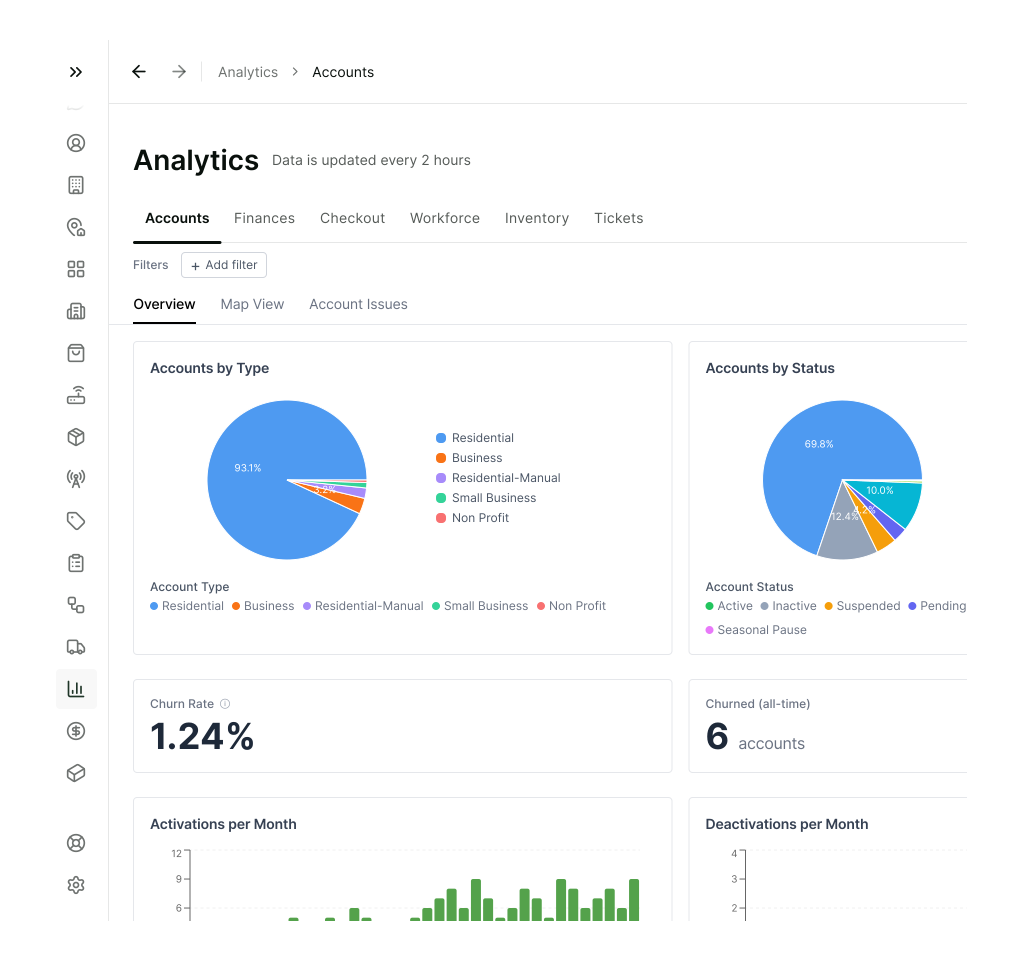
Query 100% of your data directly through a dedicated Snowflake database. No API bottlenecks, no artificial limits.
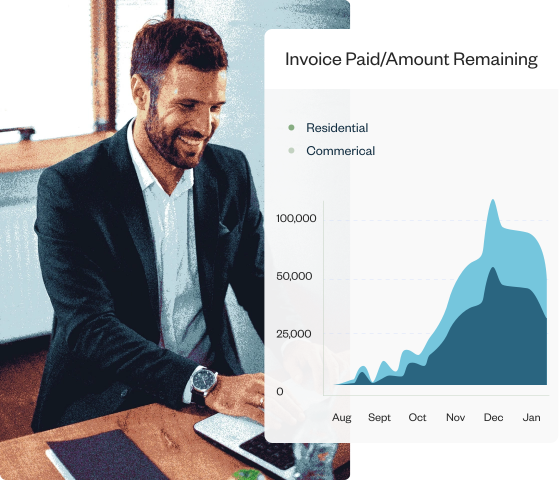
Connect Looker, Power BI, or your favorite BI platform directly into your database for fast, flexible, powerful reporting.
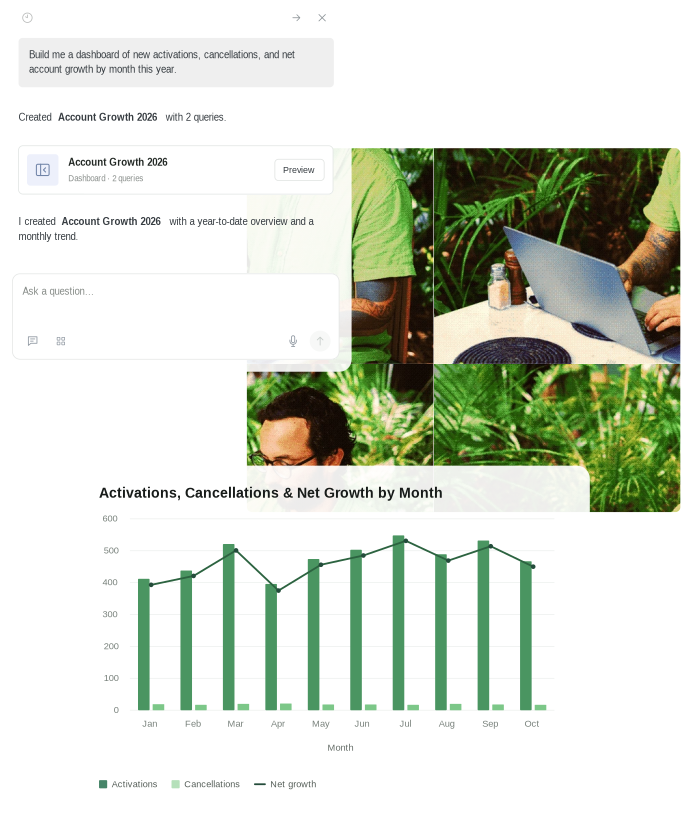
Describe what you want in plain language. gaiia’s AI agent reads your data, builds the query, and creates the dashboard. No SQL required. No analyst queue.
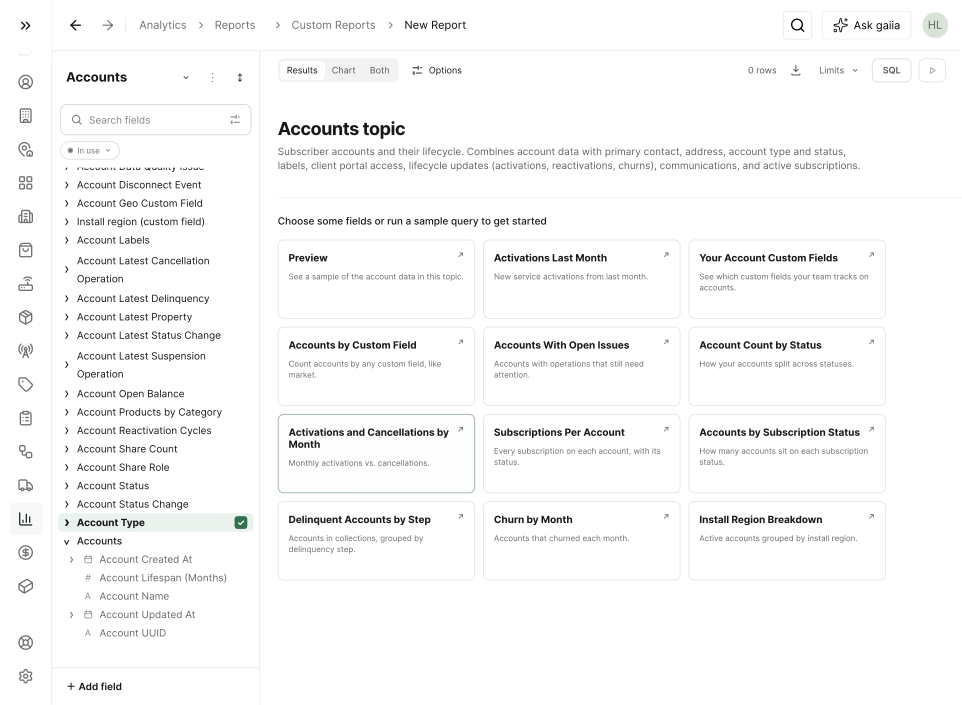
Skip the blank page. Start with templates built for CSPs, then click to add fields and shape every report and dashboard around how your team operates.
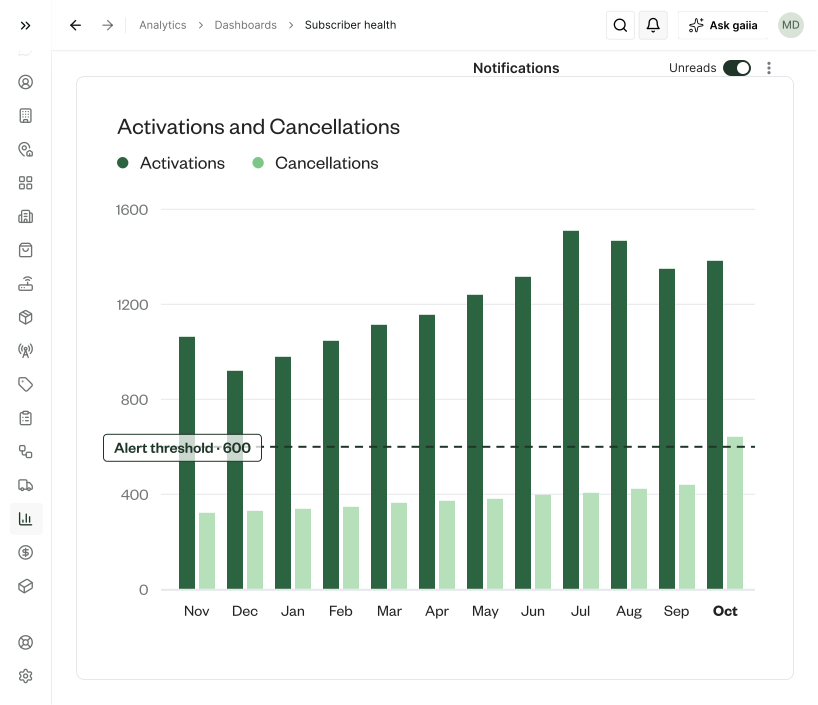
Set a threshold on any report. Know the day it's crossed, not at month end.
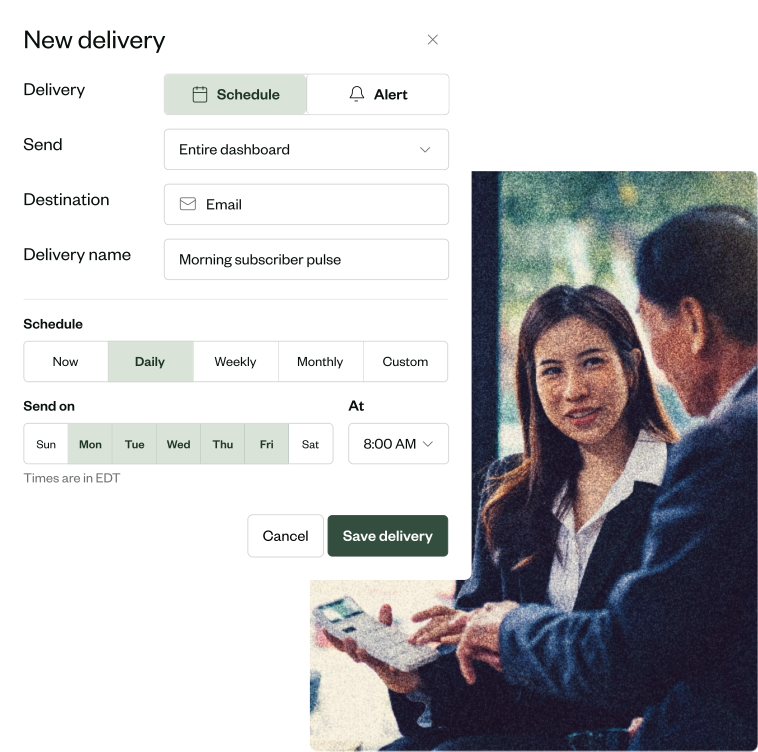
Have any report land daily, weekly or monthly. You choose when and who gets it.

“It’s kind of crazy to me how powerful the Reporting and Analytics module is. It really does check off every box of everything I could ever dream up that we’d wanted to do.”

Connect data from across your tech stack to enrich reporting and gain a complete view of your operations.










Your questions answered
gaiia Analytics is the business intelligence layer in gaiia’s AI-native OSS/BSS platform for communication service providers. It turns the data your CSP runs on into interactive dashboards and reports your team uses to make decisions. Start with the built-in dashboards and reports, or describe the dashboard you need and gaiia’s AI agent builds it for you.
gaiia ships dashboards for five teams: checkout and marketing, inventory, field service, ticketing, and billing and accounts, with a set of built-in reports alongside them. Every dashboard is built on one data model, so marketing, ops, and finance work from the same numbers. Use the built-in dashboards and reports as-is, or as a starting point.
gaiia lets your team build its own reports and dashboards. Describe the dashboard you want, and gaiia’s AI agent writes the queries, builds the dashboard, and analyzes the data for you. Prefer to build it yourself? The point-and-click builder covers queries, charts, filters, and timeframes in almost any layout, with no SQL needed. Analysts who know SQL can write and edit queries directly, and directly access your database in Snowflake.
Yes. Share dashboards with your team, schedule reports for delivery by email, and export data whenever you need it outside gaiia. The right people get the numbers on time, without logging in to look for them.
Permissions control who sees which dashboards and data in gaiia Analytics. Your data is also isolated: your CSP only ever sees its own data, never another CSP’s.
Yes. gaiia gives your CSP direct access to your full gaiia data set in Snowflake. Query every row and every table with no API limits. Your data is yours.
Yes. Connect Looker, Power BI, or another BI tool to your gaiia data in Snowflake. Your analysts keep the tools and dashboards they already know, with gaiia data underneath.
For reporting, use gaiia Analytics or Snowflake. gaiia’s GraphQL API, webhooks, and CLIs are built for connecting systems and automating operations. Snowflake is built for querying your full data set at scale, so analytics stays fast and your integrations stay responsive.
Think of gaiia as your telecom toolkit: pick the pieces you need today, add more tomorrow. No heavy lifting required.

